


How do I get the most out of using tech in the classroom?
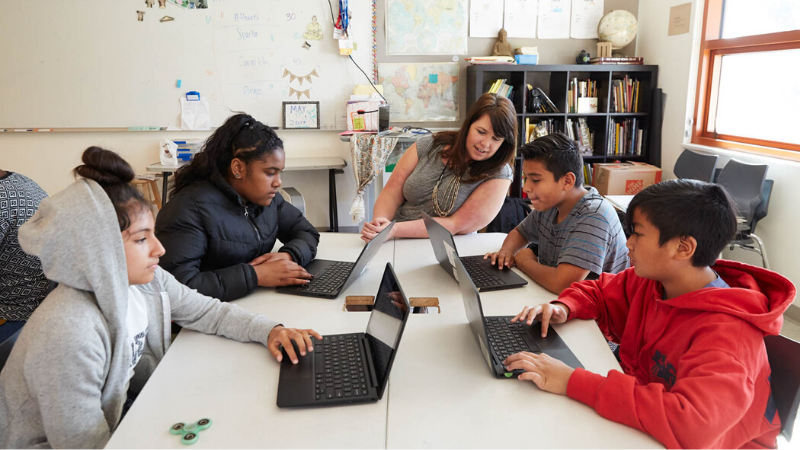
As cellphone bans surge, AI explodes, and all screen use is under scrutiny, using technology in the classroom might seem more complicated than ever before. There are a lot of things to consider, but by using the questions below, you can ensure you're taking a thoughtful approach with students' best interests in mind.
Use these links to jump to a specific section:
- Why is teaching digital literacy and well-being essential in today's classrooms, especially if using technology?
- When should I consider using technology in class, and how should I use it?
- How can I make sure I am protecting student privacy when using technology?
- How can I find the right balance when it comes to kids' screen use in school and at home?
- Which policies and procedures will help me get the most out of teaching with tech?
- How and where does AI fit into classroom tech use?
- What should I consider about accessibility and equity?
- How and when should I communicate with families about classroom tech use?

Why is teaching digital literacy and well-being essential in today's classrooms, especially if using technology?
Learning about digital citizenship is truly essential for all of us, but it's especially critical for kids. These skills go beyond passwords and effective searches. Understanding when to communicate digitally vs. in person, preventing online harms, and building awareness around our own habits and the impacts of media and tech use are just some of the deeper elements that are not only life skills for today's students, but also paths to building positive student culture.
In other words, when we introduce digital literacy and well-being in tandem with technology use, it demonstrates that these tools require self-awareness, consideration of others, and serious responsibility. It also establishes a common language around digital citizenship concepts, sets expectations, and prevents problems.
Our curriculum centers a human approach, social connection, and a balance of on-screen and off-screen activities as it helps students gain the knowledge and skills necessary to use media and technology in ways that enhance their lives and their community, rather than detract from them. Teaching about these topics is an essential first step in introducing technology into the classroom, and establishing a foundation of digital literacy should always come before kids start tapping tablets or signing in to Chromebooks.
When should I consider using technology in class, and how should I use it?
First, digital literacy and well-being instruction should set the stage before technology is introduced. Our K–12 curriculum covers all the bases, from our Device Advice collection for little kids to our AI literacy lessons for middle and high school (and everything in between!). When we establish a common language and culture of digital citizenship, we build a strong foundation for the introduction of technology.
With that foundation in place, one answer to this question is this: Introduce technology when the learning experience it offers substantively elevates educational value over alternative approaches, depending on the age and stage of your students. Of course, at this point, with so many assignments being completed and submitted using tech, it may actually take effort to pull back instead of introduce. And that may be what's necessary. Either way, here are some frameworks and tips to make the most of tech use:
- SAMR: An evaluation system to help decide when and how to use edtech.
- Essential questions: Step-by-step process to facilitate effective edtech use.
When it comes to choosing edtech tools specifically, there are many factors to consider, not the least of which are effectiveness, engagement, accessibility, and privacy.
How can I make sure I am protecting student privacy when using technology?
Student privacy is complicated. It involves information about students, as well as information from students, families, schools, and third-party administrators, terms of service and privacy policies, hackers, and many other things to consider. A teacher is unlikely to be an expert. But luckily, you don't have to be. There are some basic things you can do to protect student privacy from the beginning. This online course is a great way to get started. Other simple steps include:
- Follow your school's or district's lead: There may be a list of approved tools, and if a tool isn't on the list, get advice and approval. There's likely also an internet filter in place to help protect student privacy and guidelines around best practices.
- Be familiar with the law: Two major federal laws—FERPA and COPPA—protect student privacy and lay out clear definitions for what information is protected, who can access or share it, and when. In many states, state and local laws also apply (for example, SOPIPA in California).
It's also important to help kids understand how to protect their own online privacy. Our lessons about keeping data secure and cybersecurity give students the information they need to avoid scams and safeguard their information.
How can I find the right balance when it comes to screen use in school and kids' other device use?
The first step to achieving the right balance is carefully considering when and how tech use truly fits into the curriculum or will enhance a learning experience (see above). But there are other factors as well.
When edtech first came on the scene, any tech use for learning felt exciting and new, but those days are long gone! Because screens are now ubiquitous, and sometimes essential to perform daily tasks, using technology is no longer a novelty. Our job now is to help kids learn and practice healthy habits for media and tech use, whether we're explicitly teaching those skills or not.
That means building that balance into our approach where we can and acknowledging it. So when you ask students to demonstrate learning, allowing for off-screen options—and highlighting healthy habits—helps kids consider when and how they want to use tech to achieve balance in their own lives. Using lessons about building those habits, aligning tech use with values, and protecting their well-being gives students agency when they're finding a healthy balance for themselves.
Which policies and procedures will help me get the most out of teaching with tech?
Defining policies and procedures for classroom technology can help students use class time most efficiently—and save you some headaches! Our research shows that students want clear policies about cellphone use, but guidelines help for all kinds of technology. Routines should cover everything, beginning the moment that students take the devices out. Depending on the age of your students, your policies and procedures are also an opportunity to enlist student voice and for students to have ownership over the way the class is run and its daily culture.
Because expectations for device use will likely differ depending on the type of activity, you may want to create a matrix of activities and expectations. Procedures should be posted and visually accessible to all students.
Here's a list of five essential procedures related to device use, along with some helpful tips and tricks:
- Taking out and putting away devices: Have clear steps for students to retrieve and return their device, whether it's via a cart, storage space, or even their own desk. Staggering retrieval and numbering devices for consistency can help.
- Handling a device: Define expectations for holding and using the device. You can use our Device Advice lesson collection before issuing devices. For older kids, make sure they know expectations and consequences for lost, stolen, or damaged devices.
- Using devices independently: Establish clear do's and don'ts for when students are using a device on their own, especially if they take them home. The expectations here may depend on how your school or district filters and/or tracks student internet use, although students sometimes figure out ways to bypass those restrictions. Ultimately, students (and families) should restrict school device use for educational purposes only.
- Sharing a device: Model what the physical positioning of the device should be when multiple students use a single device. Alternating roles that identify who will be doing the typing and clicking can eliminate conflict.
- Diminishing distractions: Have clear signals, like a traffic light comparison, that quickly let kids know they should, or should not, be using a device. Have students turn off sounds or use headphones when possible. And when students should be listening to you or others, have them close their screens when they're not essential.
How and where does AI fit into classroom tech use?
Though AI literacy and readiness is important, using it in the classroom comes with additional considerations. In terms of student use, many tools are not designed for kids and require users to be over 13 or sometimes 18. Beyond that, other factors include inaccuracies, bias, mature content, plagiarism, and AI-specific privacy risks.
In terms of your own use, it's critical to protect student information and understand that bias is embedded in AI outputs. Your oversight of any AI-generated content that you plan to put in front of kids is essential. In addition, giving a generative AI tool quality context from your existing instructional materials can help align its outputs with desired outcomes. Check out our AI teacher assistant risk assessments to help evaluate which tool might work best for your purposes. And our PD courses can also guide your approach.
What should I consider about accessibility and equity?
When it comes to accessibility, technology can be an equalizer. Kids with learning differences or disabilities may benefit from assistive tech or features like text-to-speech or screen readers. On the other hand, kids' access to technology can vary widely depending on family income or the region they live in.
Weighing these factors when integrating technology is important to determine every student's ability to engage with learning materials and assignments. The digital divide persists, and differing access to AI tools with paid tiers complicates this issue. Being aware of this tension between tech's helpfulness in terms of accessibility and issues of equity is important when planning lessons, designing assessments, and differentiating instruction.
How and when should I communicate with families about classroom tech use?
The simple answer: Communicate with families early and often! Parents and caregivers are increasingly concerned about kids' screen use overall, including in school. If you're issuing devices or using technology, they definitely need to know how and why.
Having clear expectations and learning outcomes around technology is essential. And being responsive to caregiver concerns about device use is important, not only for clarity about tech's effectiveness for your educational purposes, but also to acknowledge the importance of overall balance and healthy habits.
Here are some additional resources to help:


